 GAIK
GAIKSolution Configuration Wizard
An agentic assistant that guides users from a business problem description to a runnable and validated GenAI proof of concept with complete documentation suite.
The Solution Configuration Wizard is the Guidance Layer in action. It bridges the gap between a natural-language business problem and a fully configured, validated GenAI proof of concept — without requiring the user to know which components, schemas, prompts, or evaluation tools are needed. The user describes the problem; the wizard handles the rest.
Scope
The wizard focuses on GenAI use cases that can be implemented using GAIK's existing software components or software modules. It supports at least the following use-case families:
- Audio to structured data
- Document to structured data
- Complex document parsing and extraction
- Vision-based extraction from images, scanned documents, charts, or technical drawings
- Retrieval-augmented generation over document collections
- Conversational access to internal knowledge
- Report, summary, or proposal generation
- Validation and evaluation of generated or extracted outputs
- Enhanced speech-to-text, semantic and hybrid search across multiple data formats
The wizard also supports hybrid use cases — for example, audio transcription followed by structured extraction and report generation, or document parsing followed by RAG-based question answering.
What the wizard does
The wizard conducts a structured conversation that walks through the complete solution design and build process:
- Collects requirements — business context, technical constraints, and target output specification.
- Selects GAIK components — applies a module-first rule (prefer a single software module when it covers the pattern end-to-end) and reasons about each component's behaviour-changing options from the collected requirements.
- Generates two complementary blueprints — the executable JSON blueprint as the source of truth, and the BPMN visual blueprint as the business-process view for stakeholder communication.
- Scaffolds a runnable proof of concept — a complete Python package and an evaluation script.
- Validates the PoC with the user — Modifies and validates the PoC with user's feedback and updating (synching) both the blueprints.
- Generates a documentation suite — Generates GenAI product canvas, technical specification, user guide, developer guide, and evaluation plan.
Two complementary blueprints
The wizard produces two views of every solution, each serving a distinct audience:
The JSON blueprint is the executable source of truth. It captures the complete technical configuration: input and output artifacts, selected GAIK components and their options, workflow steps, schemas, prompts, model settings, validation gates, and evaluation plan. Every downstream artifact — BPMN diagram, PoC files, documentation — is generated from it.
The BPMN visual blueprint is the business-process view. It is a standards-based BPMN 2.0 model with swimlanes for each stakeholder role (employee, reviewer, AI system, external parties), typed tasks, approval gateways, data objects, and message flows. It is intended for business analysts, domain experts, and decision-makers to review and approve the process design before implementation proceeds.
The two blueprints are kept in sync. Every BPMN element is linked back to its JSON counterpart via a stable identifier mapping, making the relationship between the business view and the technical configuration fully traceable.
How to run it
Claude Code or Claude Desktop (recommended):
/solution-wizardType this in a Claude Code session or Claude Desktop chat to start an interactive, multi-turn conversation guided by the wizard skill.
Claude Agent SDK — interactive CLI:
For developers who want to drive the wizard programmatically or from a terminal, run_wizard_interactive.py starts a persistent session via the Claude Agent SDK on Azure Foundry. The wizard streams responses token-by-token; you type answers and press Enter.
cd implementation_layer/solution_wizard

# Wizard asks for the output directory interactively:
python run_wizard_interactive.py

# Pre-supply the output directory (skips that question):
python run_wizard_interactive.py --output-dir ~/projects/my-use-case

# Verify credentials before a full session:
python run_wizard_interactive.py --preflight
Requires pip install "gaik[wizard]" (Claude Agent SDK + python-dotenv), the claude CLI on PATH, and Azure Foundry credentials (CLAUDE_CODE_USE_FOUNDRY, ANTHROPIC_FOUNDRY_API_KEY, ANTHROPIC_FOUNDRY_RESOURCE) in implementation_layer/.env (one level above the wizard directory) or the shell environment. Use --env-file to read another file; the script's docstring lists the optional variables.
Web interface — Demo site:
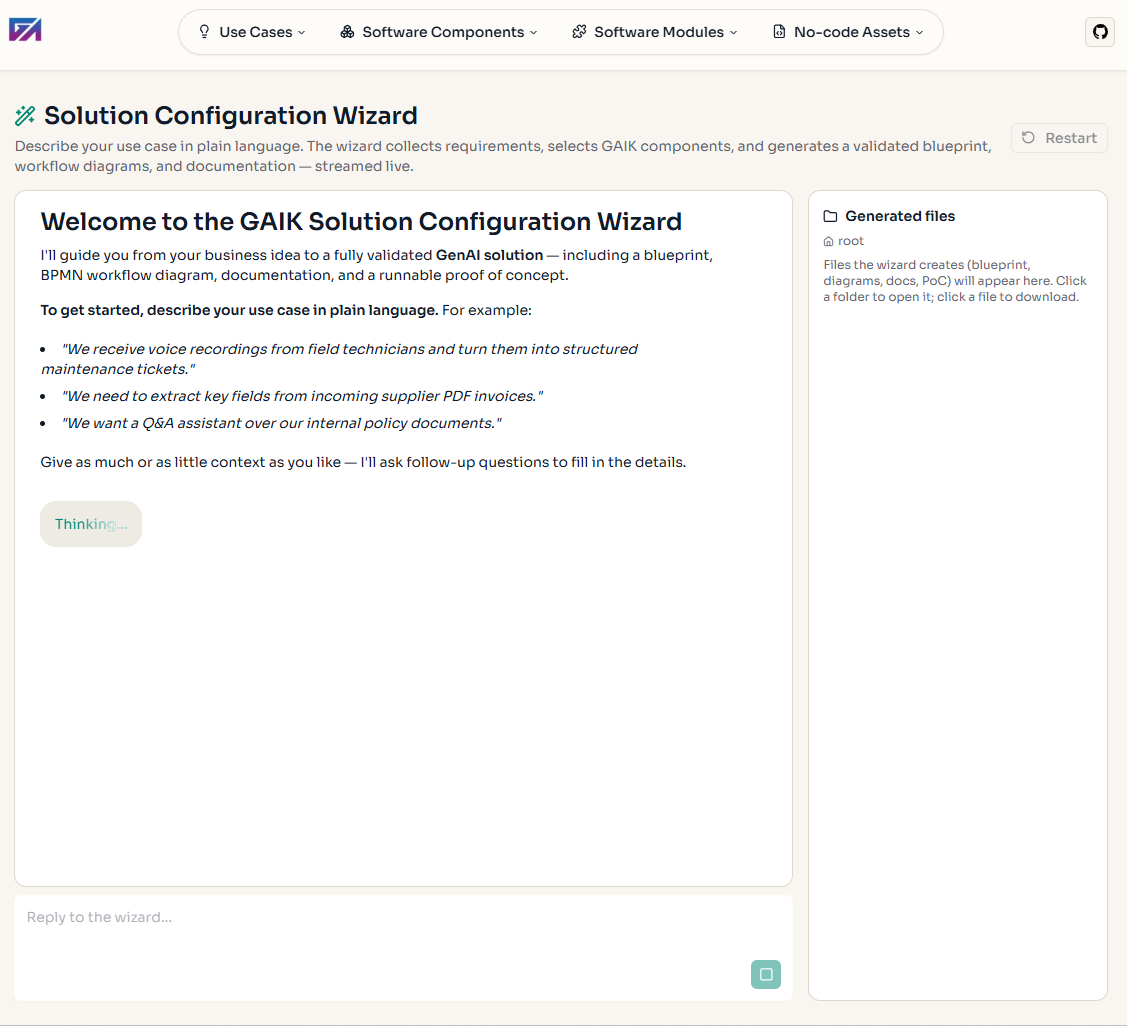
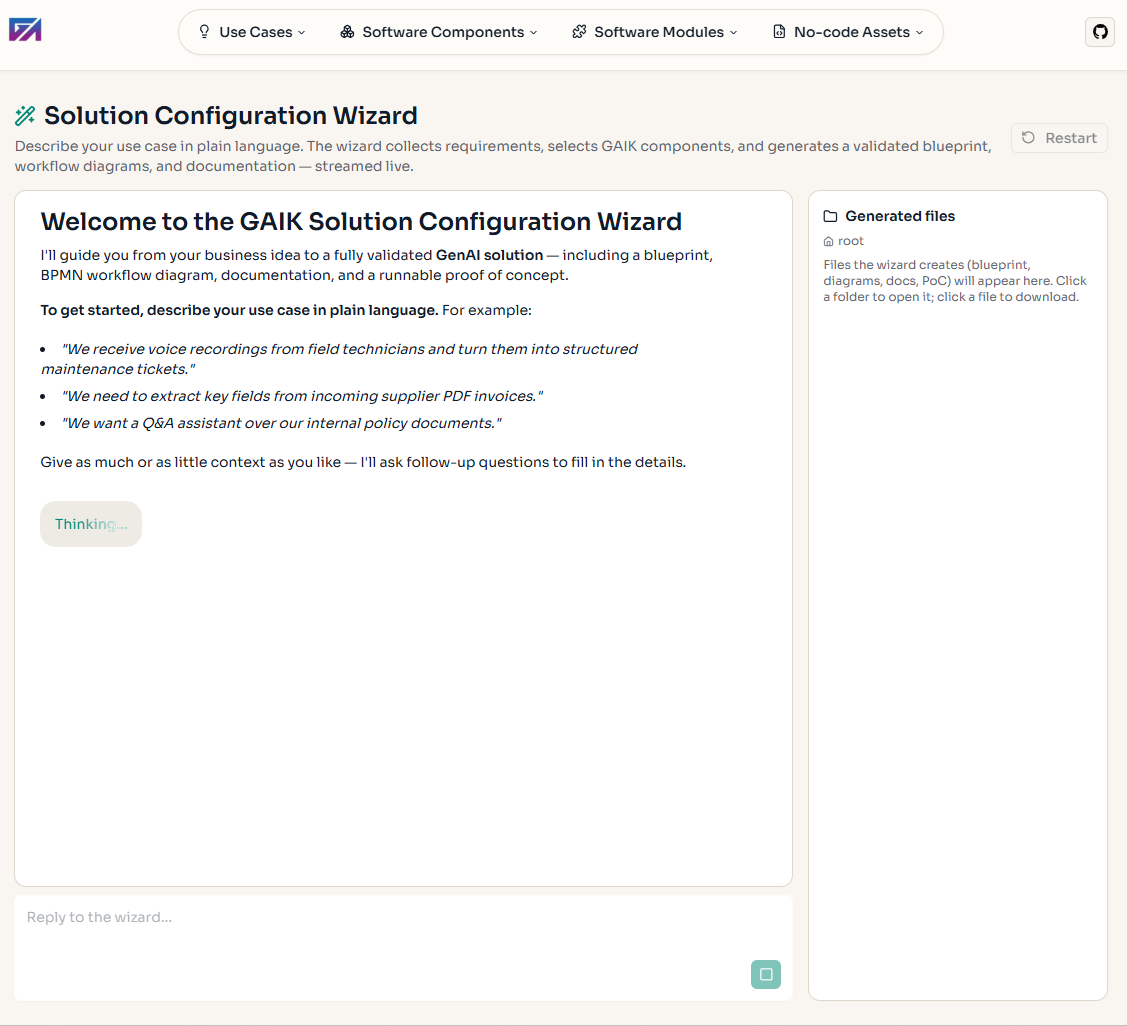
The wizard is in private beta on the demo site: it appears as a locked "Beta" item until an administrator grants your signed-in account wizard access (the team can also use a shared access key). Once unlocked, the wizard streams responses live; generated files appear in the sidebar and can be downloaded individually or as a .zip.
V1 — Current release
V1 is a single-agent SKILL.md skill deployable in Claude Code, Claude Desktop, or via the Claude Agent SDK as a web interface. It covers the full workflow from requirements through PoC to documentation:
| Capability | V1 |
|---|---|
| Full requirement collection (business, technical, target output) | ✓ |
| Requirement completeness gate (13-point checklist) | ✓ |
| Component selection with option-awareness | ✓ |
| Executable JSON blueprint + validation | ✓ |
| BPMN 2.0 visual blueprint (generated from JSON; updated by the wizard during PoC validation) | ✓ |
| Mermaid workflow diagram | ✓ |
| Extraction schema generation (one SchemaGenerator API call) | ✓ |
| Runnable proof of concept (audio, document, RAG, custom pipelines) | ✓ |
| PoC validation and refinement with Gate 3 | ✓ |
| Documentation suite (5 documents generated from blueprint) | ✓ |
| Optional PDF report output (ReportLab, when requested) | ✓ |
V2 — Under development
V2 is aimed at making the wizard production-grade and accessible through a dedicated web UI. All V1 capabilities carry over unchanged.
| Capability | V2 |
|---|---|
| Improved BPMN generation (complex workflows, parallel branches, exception paths) | Planned |
| Diverse use-case coverage (at least 10 tested use cases) | Planned |
| Dedicated Solution Wizard web UI — structured multi-pane workspace for the full workflow | Planned |
| Interactive BPMN editing — canvas editable with changes propagated back to the JSON | Planned |
| Full installable use-case package | Planned |
| Gate 4: runtime validation of the full package | Planned |
| Error handling and guardrails | Planned |
The centrepiece of V2 is a dedicated Solution Wizard web UI: a purpose-built web application that hosts the entire wizard workflow — from requirement collection through blueprint design to PoC validation and package generation — replacing the current dependency on Claude Code/Desktop. Within the UI, the BPMN canvas becomes directly editable with all changes synchronized back to the JSON blueprint. V2 also adds production-grade error handling and wizard guardrails that scope generation to GAIK toolkit use cases, enforce safety constraints, and protect blueprint state across sessions.
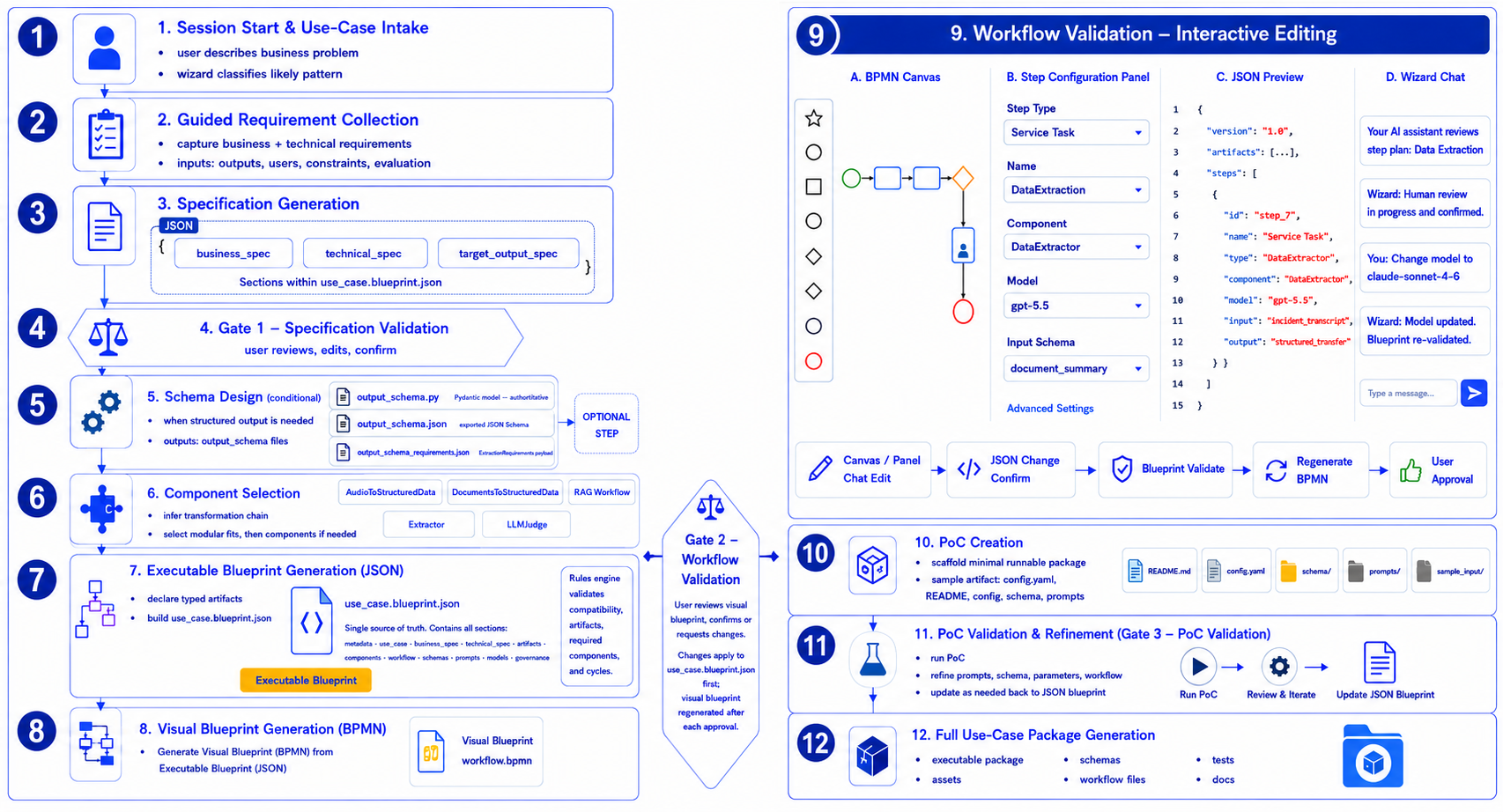
Workflow overview
The diagram below shows the complete wizard workflow across both releases.
Design principles
The wizard is built on three core principles:
Artifact-driven: the JSON blueprint is the state object at every phase. It is validated before the next phase begins and drives all code and documentation generation. Design decisions are never stored only in agent memory or in the diagram.
Agent produces meaning, Python enforces correctness: the LLM interprets requirements, classifies patterns, selects components, and authors the blueprint. Deterministic Python scripts validate the blueprint, generate diagrams, scaffold the PoC, and build documentation. The two layers do not overlap.
Blueprint-first changes: the BPMN is a derived view. Changing a swimlane, a hand-off, or an exception path means editing the JSON blueprint and regenerating.
Further reading
- Solution Wizard README — complete walkthrough, output layout, component registry, and script reference
- Full specification — detailed requirements, JSON blueprint schema, validation rules, and implementation design
- Implementation Layer — the GAIK software components and modules the wizard selects from